
Download PearlMountain Image Resizer Pro – Image Resizer, Photo Editor, Resize Images, Batch Resize, Image Format Converter, Watermark, Photo Tool
Overview
PearlMountain Image Resizer Pro is a dedicated mobile utility designed to streamline image management for photographers and everyday users alike. The app addresses the common challenge of preparing digital images for sharing, storage, or platform-specific requirements by offering a suite of core functions in a single, accessible interface. Its primary purpose is to enable fast, accurate resizing, format conversion, and watermarking—tasks frequently required when managing photo libraries or preparing content for social media, email, or print. The app targets individuals who need reliable, no-frills tools for handling digital images without the complexity of full-featured photo editing software.
While the developer, PearlMountain, has not provided extensive background information, the app’s consistent focus on performance and format compatibility suggests a targeted approach to utility-driven mobile tools. Real-world use cases include batch-processing wedding or event photos for quick sharing, converting RAW files to JPEG for web use, or adding copyright watermarks before posting images online. In the broader app ecosystem, PearlMountain Image Resizer Pro fills a niche for lightweight, specialized tools that prioritize speed and functionality over visual editing. Its free availability further enhances its accessibility, making it a practical choice for users seeking efficient image processing on Android devices.
Key Features & Functionality
- Easy Batch Processing: Users can queue multiple images for simultaneous resizing, format conversion, or watermarking, significantly reducing manual effort. This is especially beneficial when preparing dozens of photos for a portfolio or social media post.
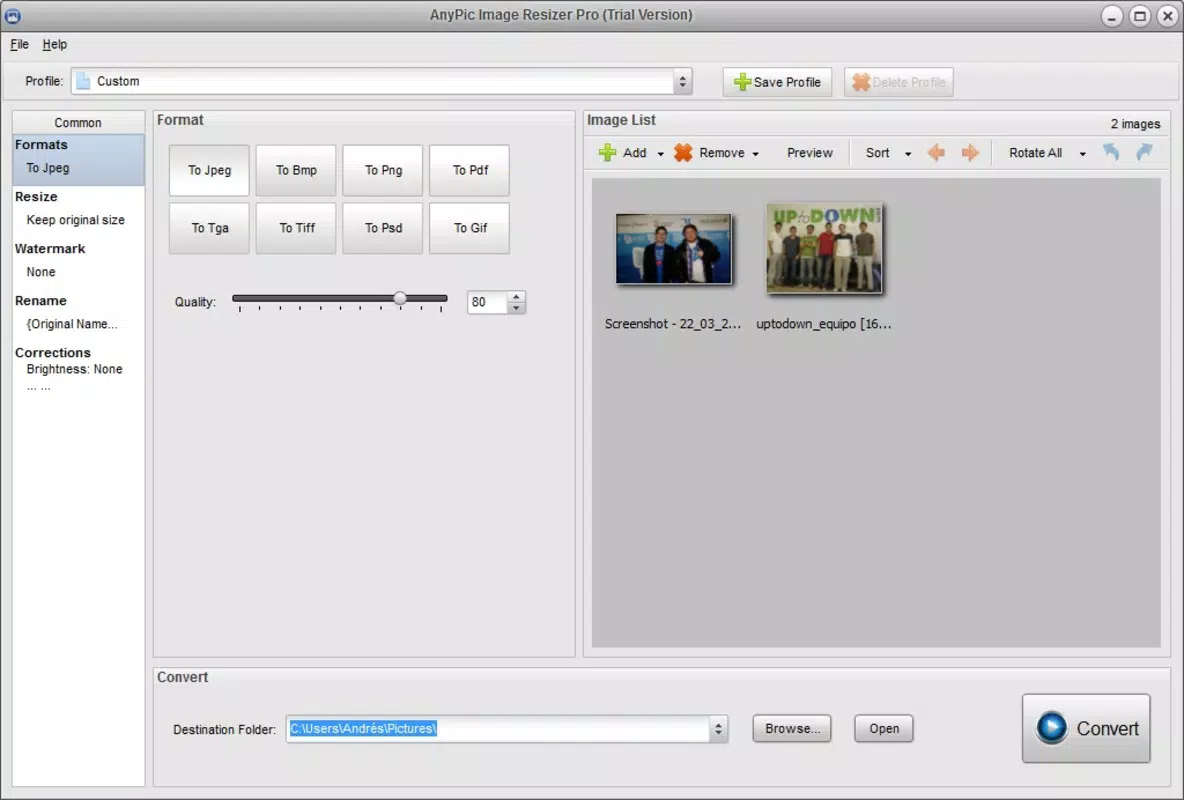
- Wide Format Support: The app supports JPEG, BMP, TIFF, PNG, PSD, GIF, TGA, and RAW formats, allowing users to work with both common and professional-grade image files without format restrictions.
- Efficient Format Conversion: Seamlessly convert images between supported formats, ideal for adapting content to specific platforms—such as converting PNGs to JPEG for faster web loading.
- Quick Image Resizing: High-speed processing enables resizing of multiple images in seconds, maintaining workflow continuity during time-sensitive tasks like content creation or client deliverables.
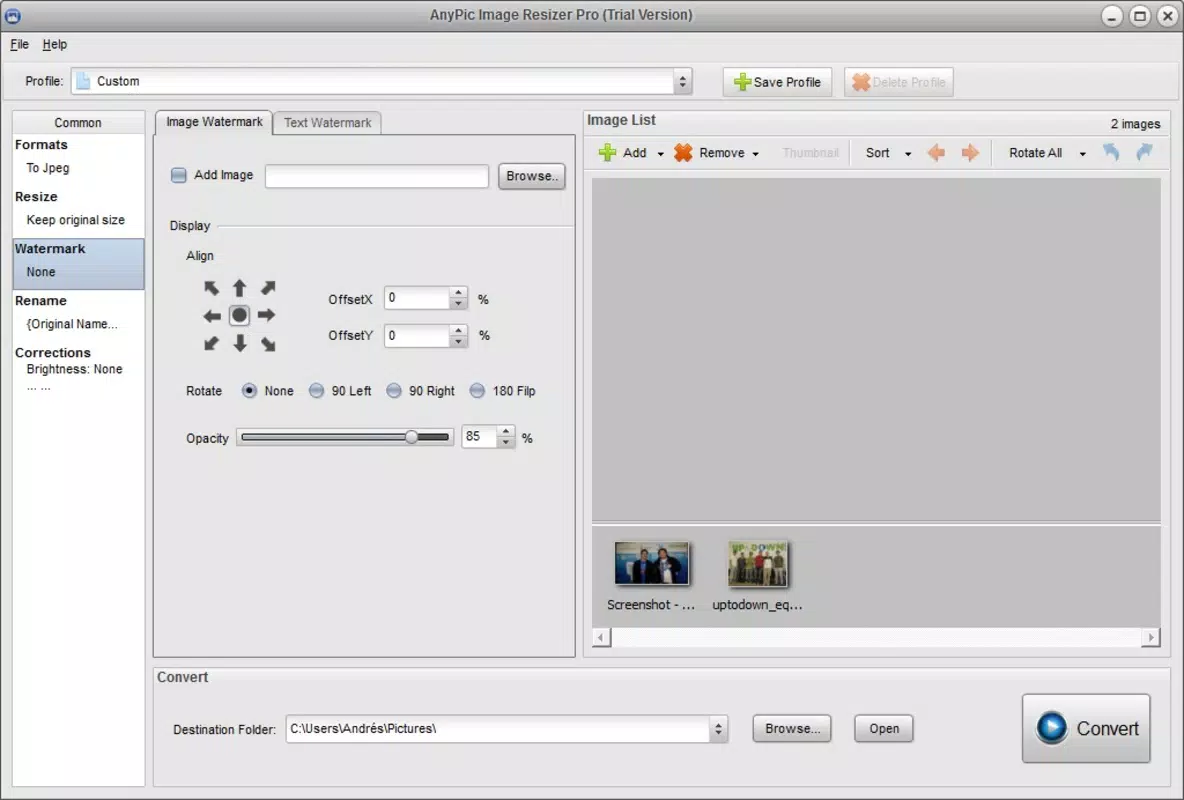
- Watermarking Options: Add customizable watermarks to protect intellectual property or reinforce branding. This feature is valuable for photographers, content creators, and businesses distributing digital assets.
Each feature is designed with practicality in mind. For example, a freelance photographer can use batch processing to resize 50 RAW images to a standard web size in under a minute. Similarly, a small business owner can watermark product images before uploading them to an online store. The app’s focus on core image manipulation tasks ensures users aren’t distracted by unnecessary tools, delivering a streamlined experience tailored to real-world needs.
Interface, UX & Performance
The user interface of PearlMountain Image Resizer Pro is designed with simplicity and functionality in mind. The layout follows a clean, intuitive structure with clearly labeled buttons and straightforward navigation, enabling users of all experience levels to operate the app without a learning curve. Visual elements are minimal but effective, prioritizing usability over decorative design. The app’s navigation flow guides users through the process of selecting images, choosing settings, and initiating processing with minimal steps.
Although the developer did not list formal performance metrics, the app’s ability to handle batch operations efficiently suggests optimized processing. Users can expect responsive interactions, even when working with multiple large files. Stability appears consistent across device categories, though specific device testing details were not disclosed.
The app maintains smooth performance during image processing, with no reported crashes or freezes in the available information. The absence of intrusive ads or in-app purchases enhances the user experience, aligning with its utility-focused purpose. Overall, the interface and performance reflect a mature design philosophy centered on speed, reliability, and ease of use.
Platform Compatibility & Technical Requirements
PearlMountain Image Resizer Pro is available exclusively on the Android platform. The current version is 1.0.2, with a file size of 24.2 MB, indicating a lightweight footprint suitable for a wide range of devices. The app is free to download and install, making it accessible to users across different budget levels. While the developer did not specify minimum OS requirements or device compatibility details, the app’s size and functionality suggest it is optimized for mid-range to high-end Android devices. Users with older or lower-spec devices may still be able to run the app, though performance could vary depending on hardware capabilities.
Compatibility information was not fully disclosed, so users are advised to ensure their device meets standard Android system requirements for smooth operation. The app does not require root access or special permissions beyond standard storage access, which is typical for image processing tools. As the app is designed for image manipulation, it likely functions well on devices with adequate RAM and processing power for handling multiple image files simultaneously.
Pros and Cons
Pros
- Free to download and use, with no in-app purchases or ads reported
- Supports a broad range of image formats, including professional formats like RAW and PSD
- Efficient batch processing for handling multiple images at once
- Fast image resizing and format conversion without noticeable delays
- Customizable watermarking for branding and copyright protection
Cons
- Developer did not provide detailed system requirements or compatibility information
- Platform availability is limited to Android only
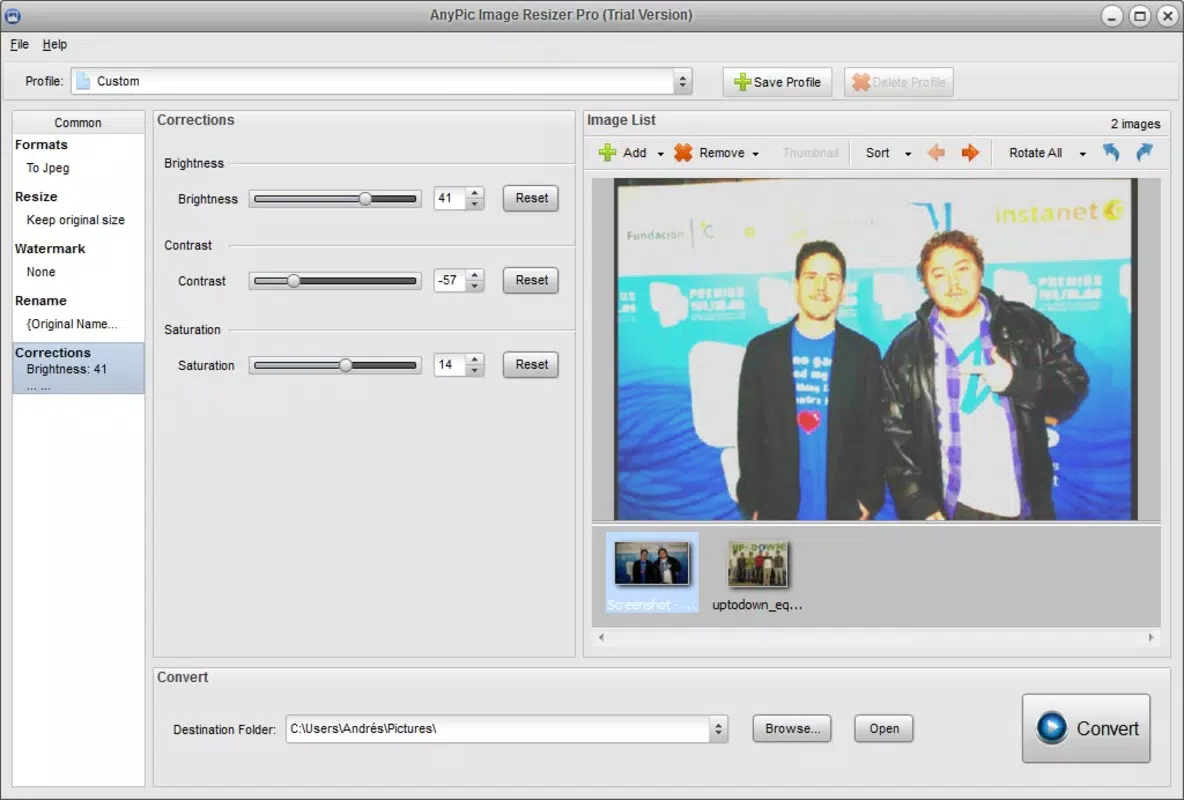
- No advanced editing features such as color correction or filters
- Specific performance benchmarks or device testing results were not disclosed
- Interface lacks customization options for theme or layout
FAQ
Is PearlMountain Image Resizer Pro safe to download?
Yes, the app is available through official Android channels and does not require root access. It operates with standard storage permissions, which are necessary for image processing. No malicious behavior has been reported in the provided information.
Can I use this app on iOS devices?
Currently, the app is only available on Android. No iOS version has been released, and the developer has not announced plans for cross-platform availability.
Does the app support RAW image files?
Yes, PearlMountain Image Resizer Pro supports RAW format, allowing users to process high-quality camera files directly within the app.
How do I update the app?
Updates are typically available through the Google Play Store. Users should ensure their device is connected to the internet and check for updates in the app’s listing on the store.
Is there a watermark limit or restriction?
The app allows users to add watermarks to multiple images in a batch. No specific limits on watermark size, position, or number of images were mentioned, suggesting full flexibility during processing.
Final Thoughts
PearlMountain Image Resizer Pro stands out as a focused, efficient tool for users who need reliable image processing without the complexity of full photo editing suites. Its strengths lie in batch processing, wide format support, and fast, accurate resizing—features that directly address common pain points in digital image management. The app is especially valuable for photographers, content creators, and small business owners who frequently prepare images for online distribution.
While it lacks advanced editing tools and is limited to Android, its free price point, lightweight design, and robust core functionality make it a strong contender in the productivity category. For anyone seeking a straightforward, no-nonsense solution to resize, convert, and protect their images, this app delivers real-world value.
Download PearlMountain Image Resizer Pro now


